
🌍
Google Street View
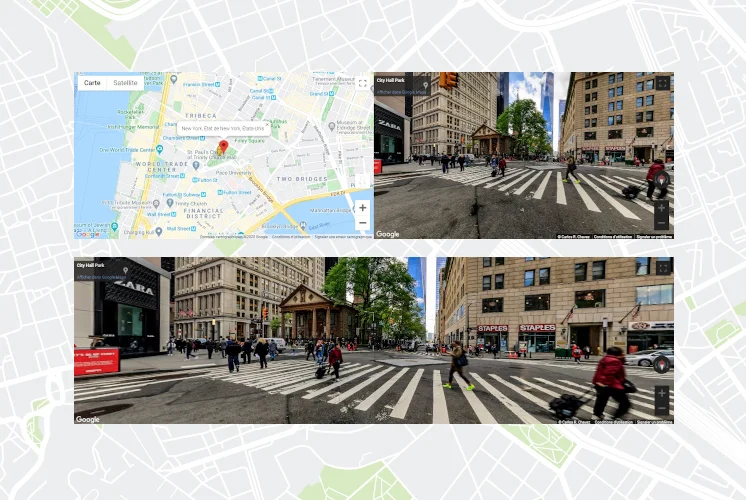
Embed interactive 360° panoramic views from any Street View location. Adjust heading, pitch, and zoom to show exactly what you want visitors to see.
Give your visitors a 360° immersive experience. Add Google Street View panoramas, Google Maps, custom markers, map styles, and LocalBusiness schema — no coding required.
This site publishes a machine-readable AI usage policy and governance framework.
Most local businesses do not only need a map pin. They need context.
A plain address tells a visitor where you are. A Street View or map embed helps them understand what the place feels like, how to find it, and why it looks trustworthy before they visit. That difference matters for businesses with a real storefront, a venue, a campus, or a service area where confidence and orientation influence conversion.
WP Google Street View exists for that exact job. It helps WordPress site owners publish interactive Google Street View panoramas, Google Maps, markers, styles, and local SEO signals without building a custom Maps implementation from scratch.
WP Google Street View is a strong fit when you want to:
That makes it useful for both simple single-location websites and more structured local-business sites where maps are part of the product or trust layer.
Depending on the plan and the page, you can publish:
The plugin is intentionally practical. It is built around shortcodes, settings, and reusable views rather than around a custom developer-only workflow.
Street View itself is not a ranking trick. It is a way to make a location page stronger and more trustworthy.
When a visitor can see the exterior, the block, the access road, or the immediate neighborhood, the page becomes more useful. When that visual layer is combined with maps, directions, and structured data, the business page communicates more clearly to both people and search systems.
That is why the plugin’s value is not only visual. It can help reinforce:
If this matters to your site, start with Local SEO schema and the relevant use cases.
The plugin is especially relevant for:
If your business benefits from showing a real physical place, there is a good chance WP Google Street View is a better fit than a static image or a raw iframe alone.
The free version is enough to validate the core workflow:
The Pro version is where customization and local-marketing depth become much stronger:
The best way to think about the upgrade is not “more buttons”. It is “more control over how the location experience is presented and how it supports trust and local discovery”.
If you are new to the plugin, use this order:
That sequence gives you both the product overview and the implementation path.
A raw iframe can work for a one-off location. It becomes less attractive when you need:
The plugin gives you an operational layer for location publishing. That is the real difference.
The plugin supports 21 languages, works with major caching plugins, and is built to coexist with common WordPress environments. Whether you run a restaurant, hotel, real-estate agency, retail business, or tourism website, WP Google Street View helps visitors connect with a real place before they arrive.